Proof of resolution — requirement 2.1.1 (Documentation 404)
This page is for the Shopify App Review team. It is not part of the merchant help centre and is not linked from the sidebar or search.
The report
Section titled “The report”2.1.1. Build apps without critical errors to ensure review completion.
During the screening of the app, we have noticed that the Documentation section of the app UI is resulting into error 404.
The reviewer’s screencast shows the admin at
admin.shopify.com/store/<store>/apps/gisl-press-kit/docs/ rendering
404 Not Found.
The cause
Section titled “The cause”The Documentation item in the app navigation pointed directly at our help centre, an absolute URL on our own domain:
// Before<s-link href="https://pressapp.goldeninfosystems.com/docs/" target="_blank"> Documentation</s-link>s-app-nav does not accept that. Its href must be a path within the app,
and it has no target property. App Bridge therefore discarded our origin,
kept the path /docs/, ignored target="_blank" and routed the embedded app
to /docs/ — which is not one of the app’s routes. Hence the 404.
The fix
Section titled “The fix”The navigation item now points at a real route in the app, /app/docs, and
that page links out to the help centre. Links that leave the admin live in
page content, where App Bridge honours target="_blank" and opens the tab at
the top level.
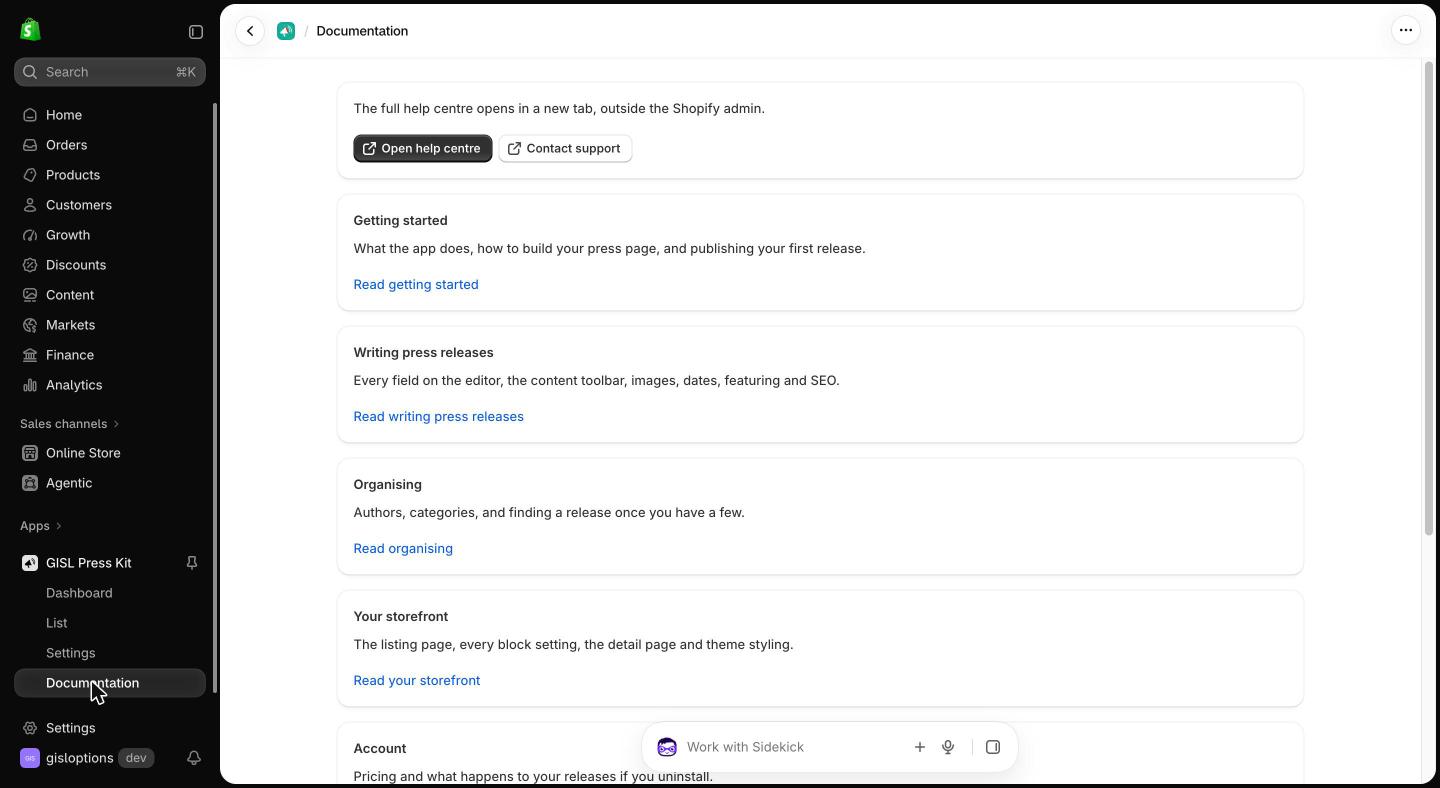
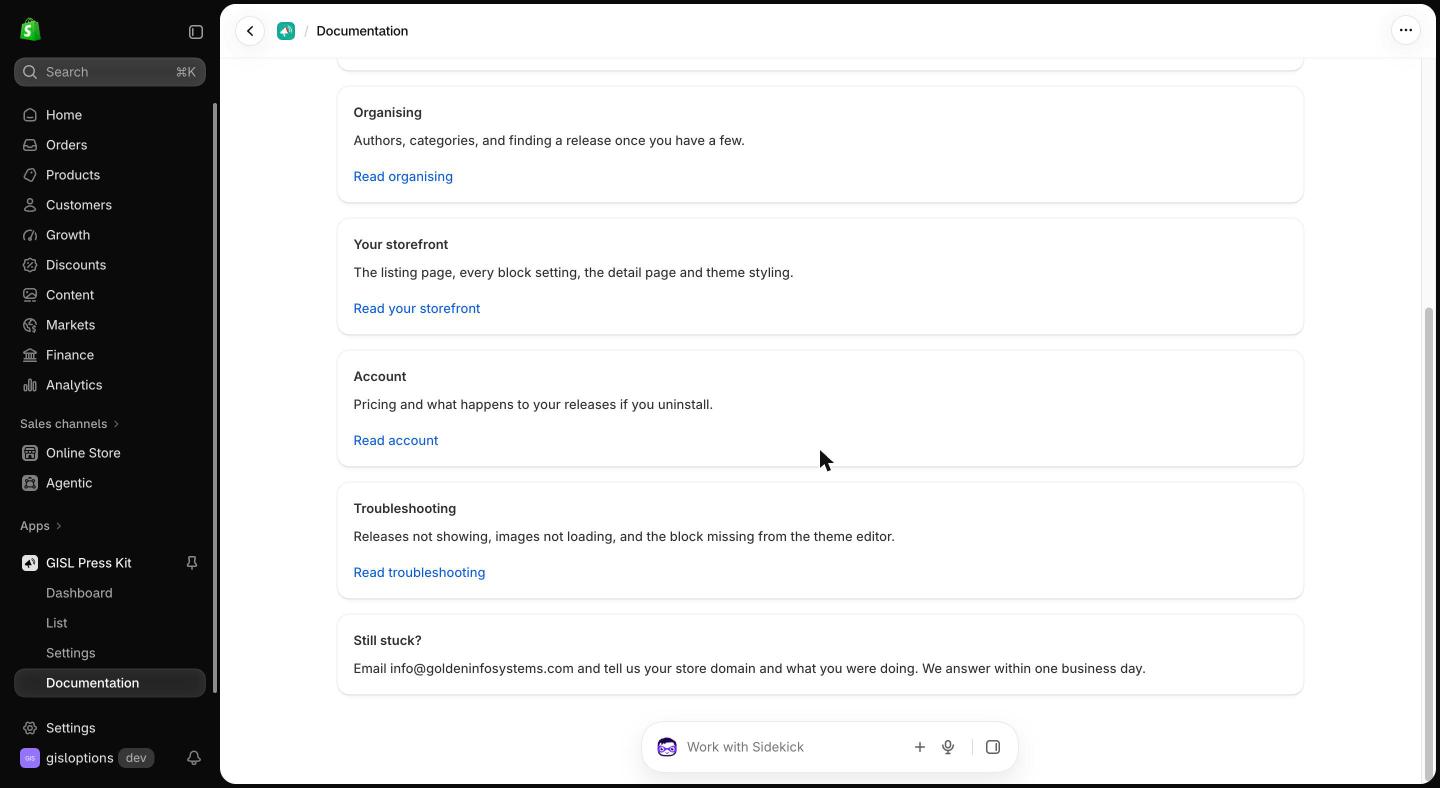
// After<s-link href="/app/docs">Documentation</s-link>The new page lists every section of the help centre, plus a direct Contact support link.
Evidence
Section titled “Evidence”Clicking Documentation in the app navigation. The item is selected in the sidebar and the page renders — no error:
The rest of the same page, ending with the support contact:
How to verify
Section titled “How to verify”- Open the app in the Shopify admin.
- Click Documentation in the app’s left-hand navigation.
- The in-app Documentation page loads at
/apps/gisl-press-kit/app/docs. - Open help centre opens the help centre in a new tab.
Every other navigation item — Dashboard, List, Settings — was already an app-relative path and was unaffected.
Preventing a repeat
Section titled “Preventing a repeat”A test in the repository now fails the build if any navigation link is not a
literal app-relative path, if any carries a target, or if it points at a
path with no matching route file.